



Restoration / Guides / Office and project manager
First day · Office and project manager
Office and PM: your first day.
Take the call, keep each day signed, and send the packet when the adjuster asks.
- 01
Take the call
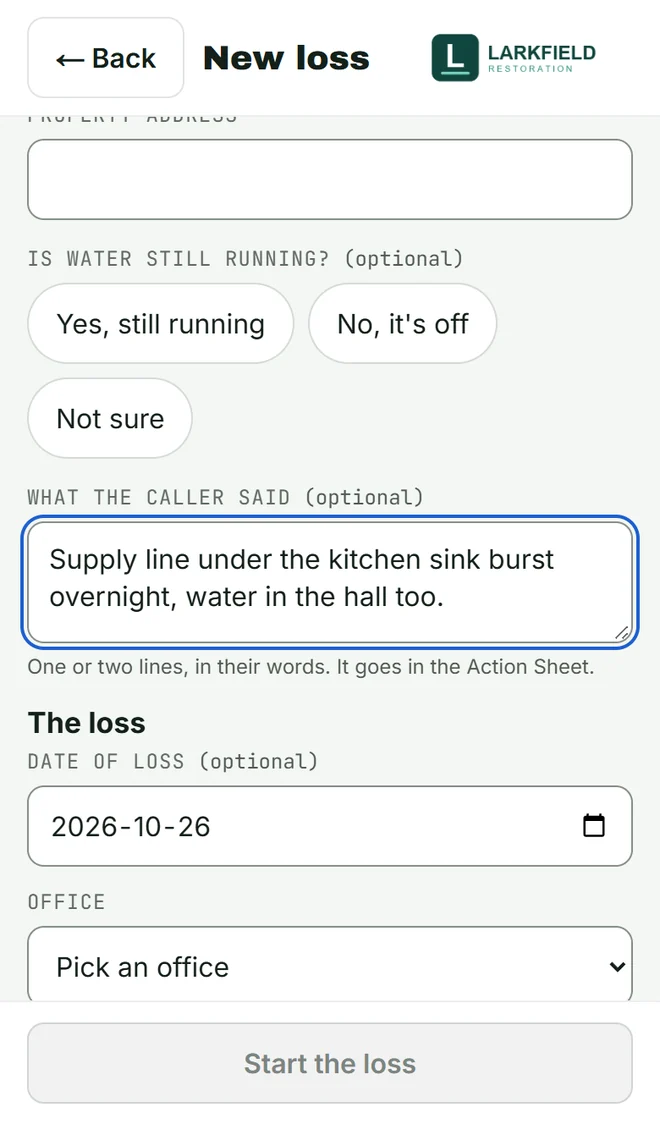
On Home, tap New loss. Type the caller, the address, the kind of loss and, in a line or two, what they told you in their own words. Pick the office and the project manager, then tap Start the job.
- 02
Get the work authorization signed
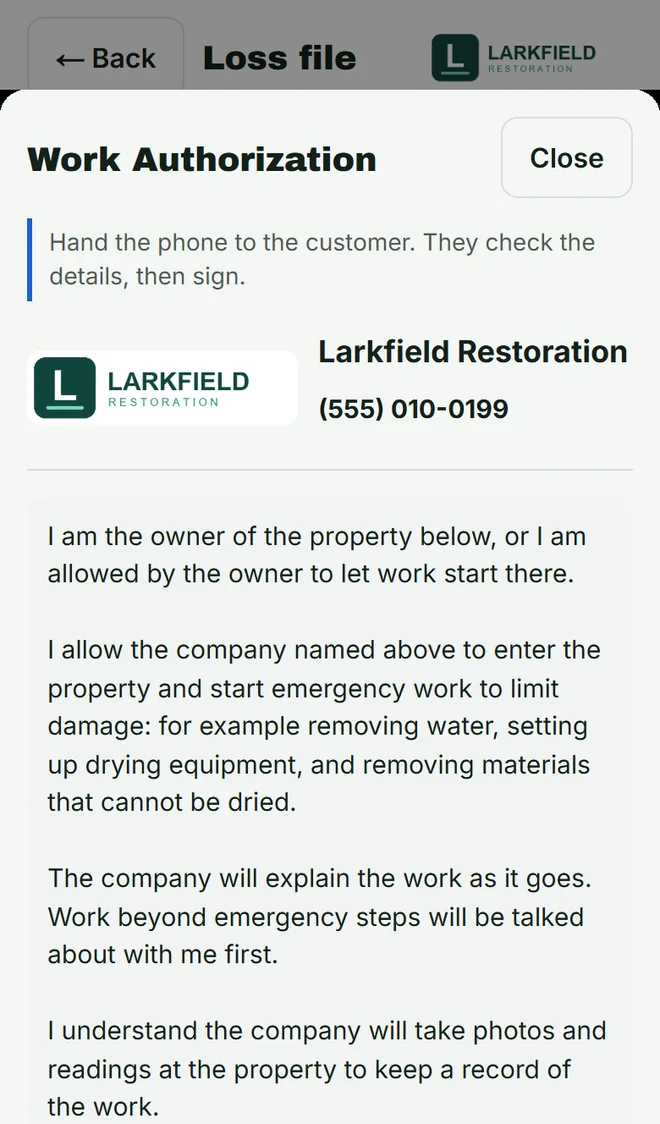
Open the job file and the Work Authorization. Hand the phone to the customer: they check the details and sign with a finger. Or send it to them as a link.
- 03
Watch today
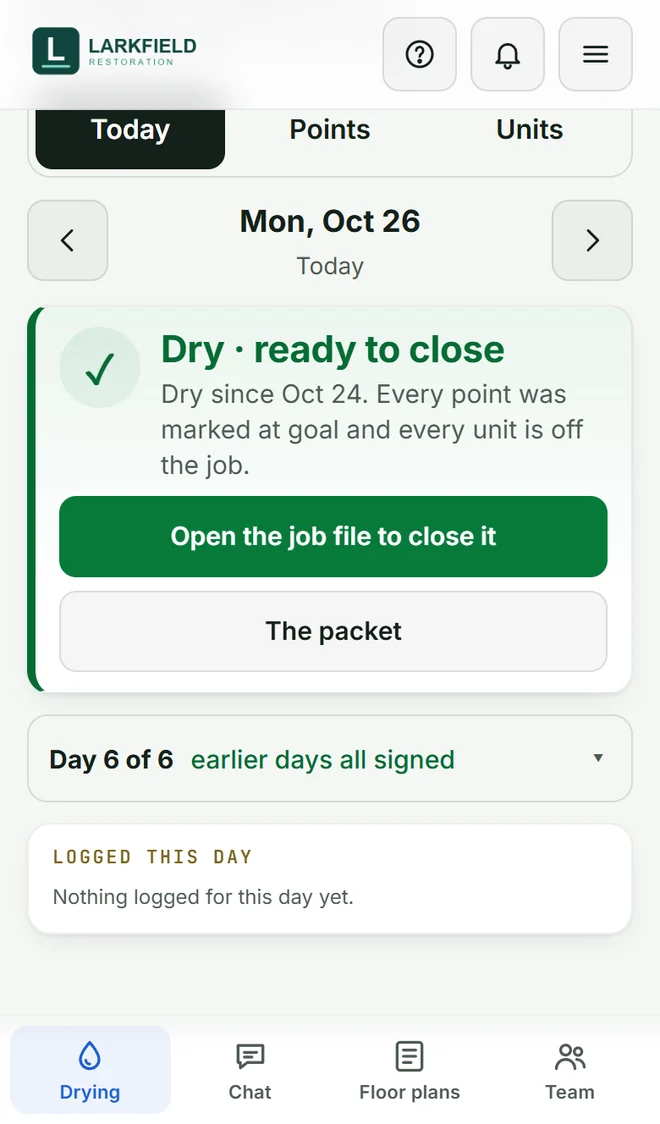
Open the loss. Today lists what the day still needs. When it says Everything’s in. Ready to sign., the day is ready for you.
- 04
Sign the day
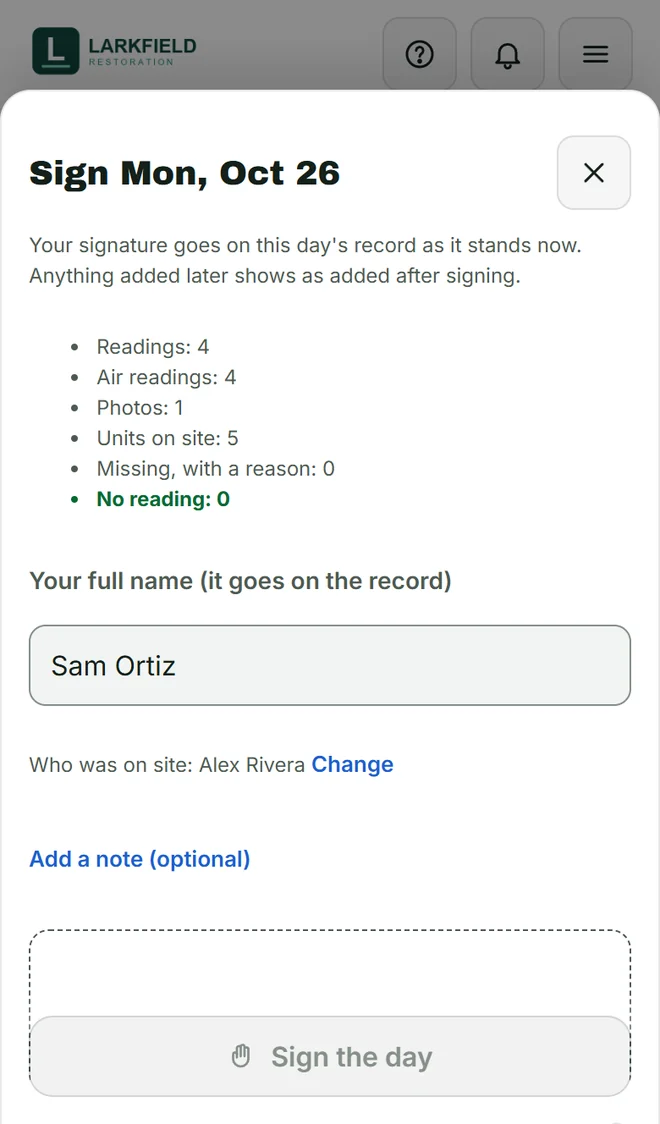
Tap Sign the day. Check the list, type your first and last name the way you sign, sign with your finger and tap Sign the day.
- 05
Check the drying
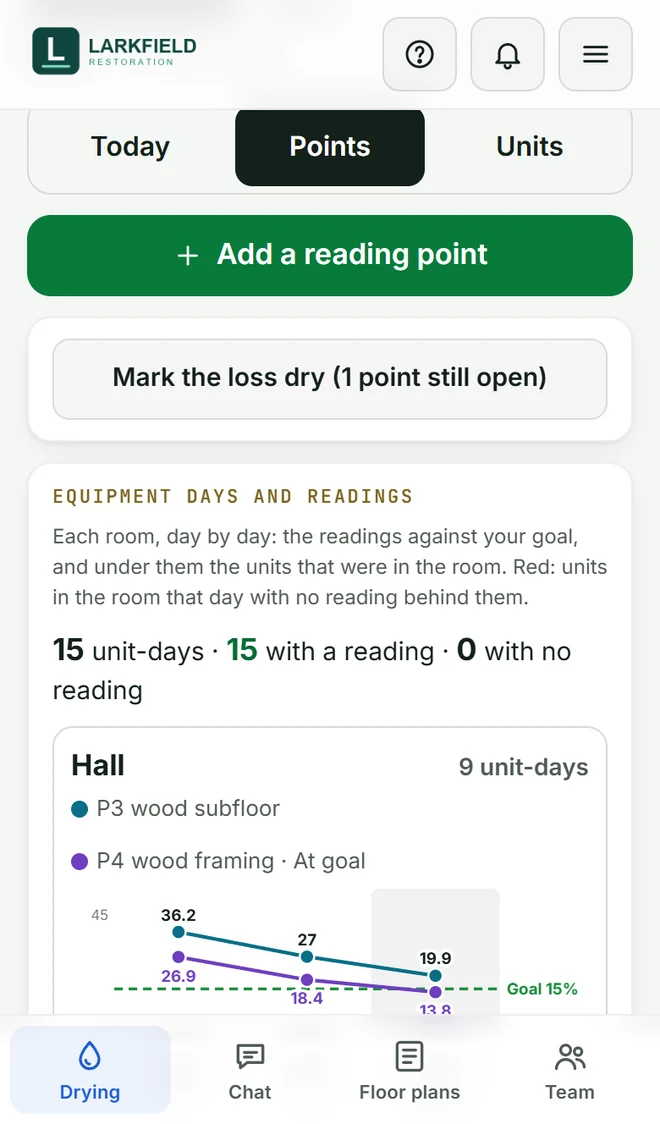
Tap Points. Each room shows its readings against your goals, with the units under them day by day. Red is a unit on site with no reading that day.
- 06
Send the packet
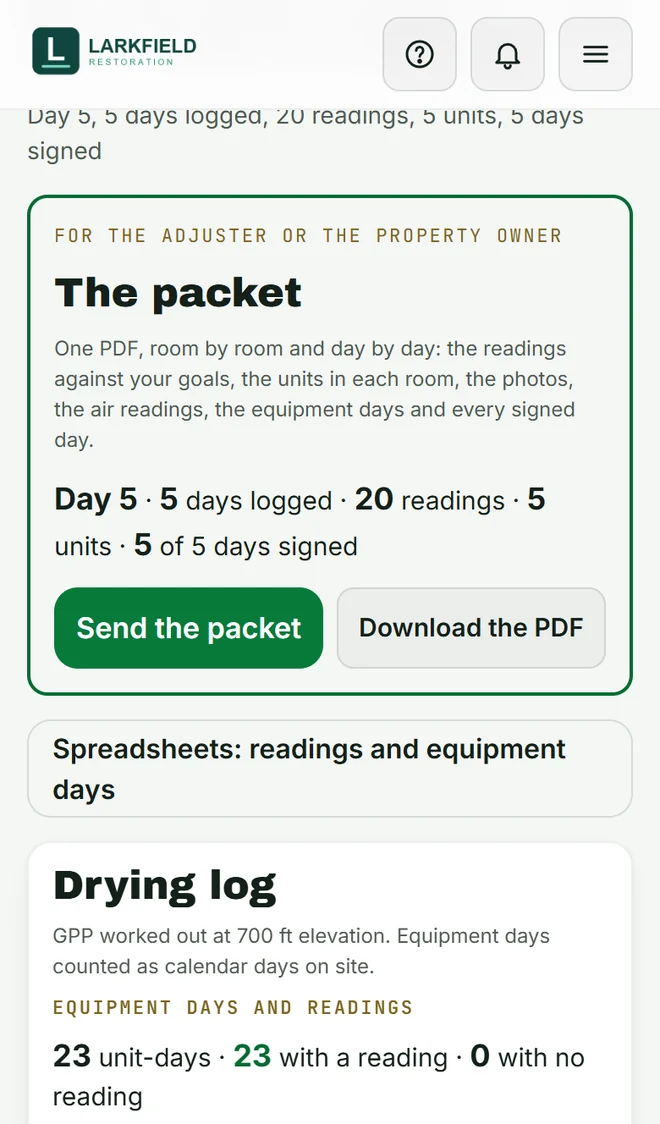
When the adjuster asks, open the loss’s drying record and tap Send the packet. It shares one PDF and a read-only link to the same record.
- 07
Close out with the customer
When the work is finished, send the certificate of satisfaction as a link. The customer signs on their own phone and keeps a copy. It lands in the job file.
A day signed late
Sign a missed day the next morning. The record shows it was signed later, in plain words, so nobody has to explain it.